
Import from SRT file
For those who wish to import from other software (that can export to SRT) or from already generated time-coded subtitles (see how to export SRT subtitles from DOTE), then we offer an import tool.
- Select
File ➔ Importor click theImportbutton on the right of the ribbon bar. - Click on the relevant
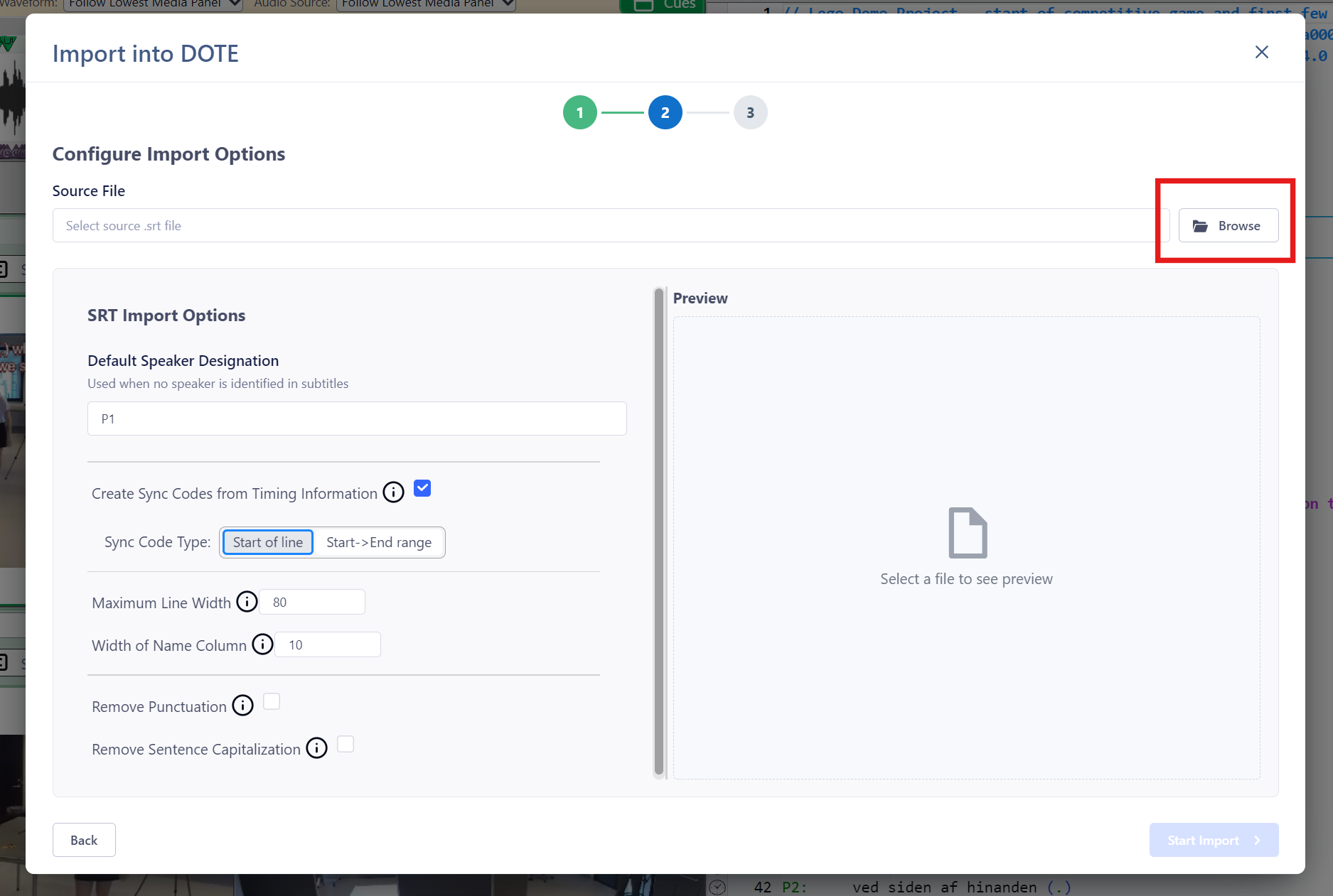
Continuebutton for "SRT Subtitle". - Specify the "Source File" location for the Basic Text file (
.srt) to import. - Enter a unique name for your new Transcript Name.
- Choose from the options:
- Default Speaker Designation - in case there is no speaker-id on each line you can add a default on import.
- Create Sync-codes from Timing Information.
- Start of line - the timing information is to be found at the beginning of lines.
- Start -> End range - the timing information is at the beginning but also has a duration, eg. equivalent to a ranged sync-code.
- Maximum Line Width - if a line exceeds this, then it is wrapped.
- Width of Name Column.
- Remove Punctuation - remove any punctuation symbols (".,?"). NOTE: this will also remove those symbols even if they are used to mark interactional intonation, eg. Jeffersonian.
- Remove Sentence Capitalisation - from the body of the transcript to be imported. NOTE: this will also decapitalise proper nouns and abbreviations.
- When ready, click on
Start Import. - The Transcript will be added to the current Project, so make sure the audio/video file and the transcript are comparable.
A preview of the imported transcript will be updated on the right side after any changes to the Options.