
How to make Transcript Clips
Watch the video tutorial on YouTube.
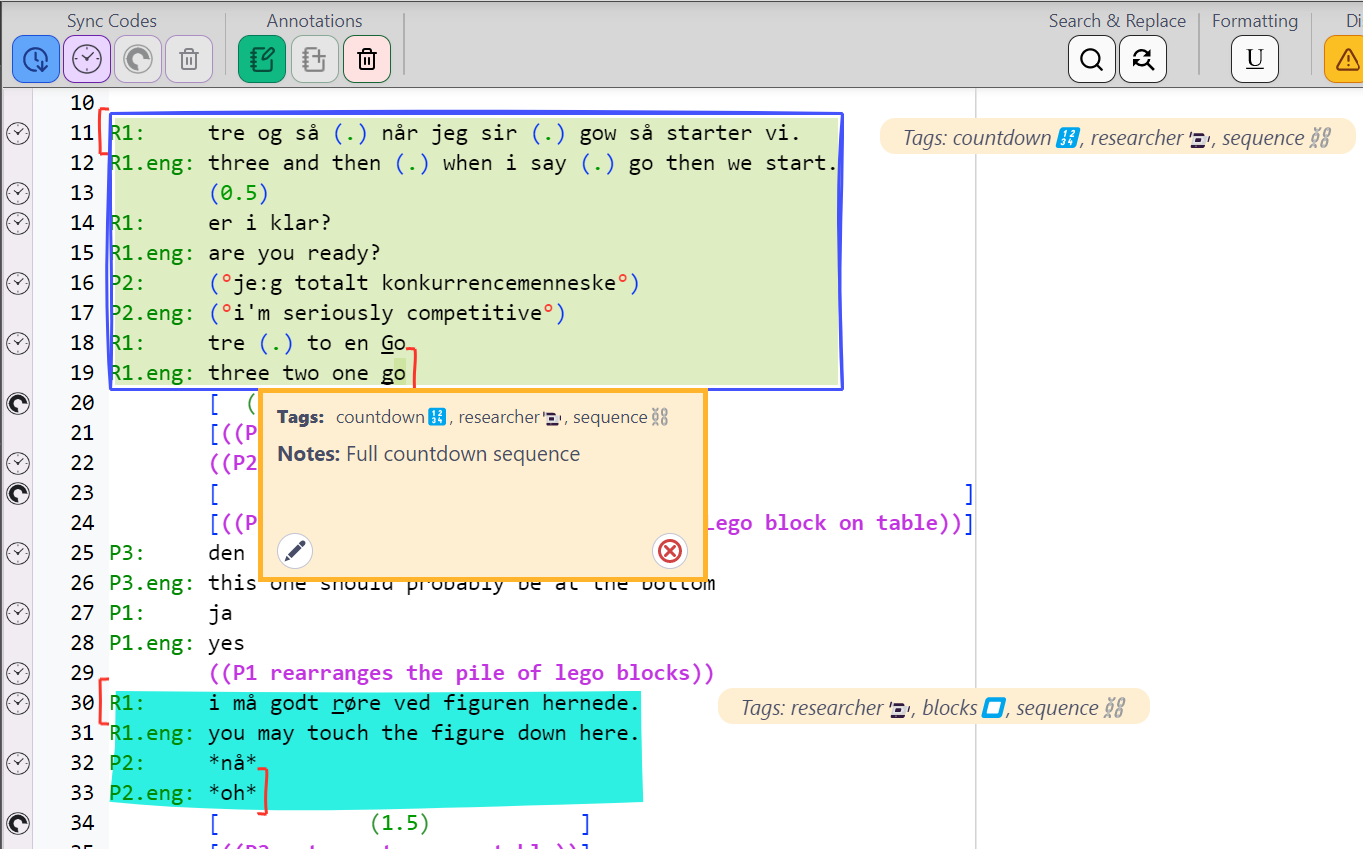
Transcript Clips are rich annotations on selected segments of a Transcript. Multiple and overlapping Clips can be made on a Transcript.
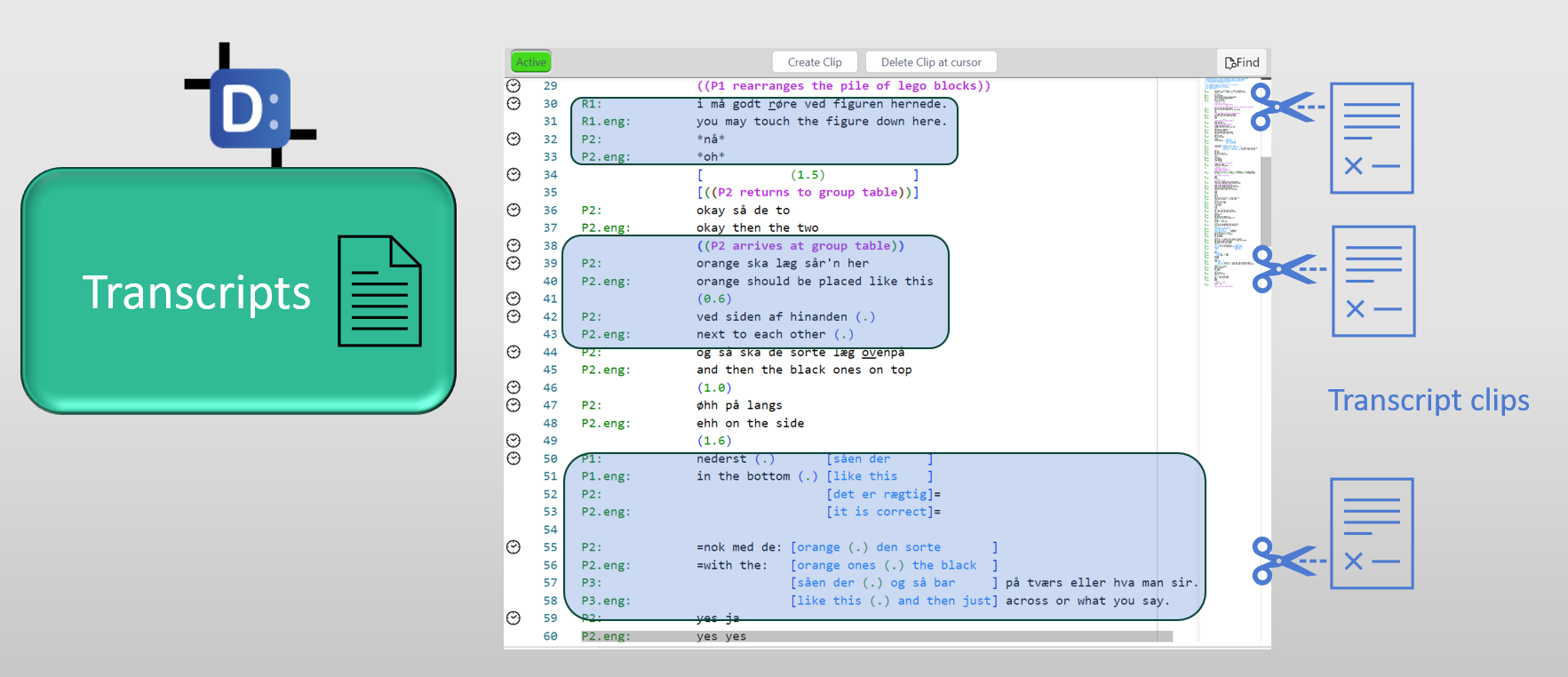
Transcript Clips (or T-clips) can only be created and edited in DOTE (or DOTEbase) if you have purchased and activated the Pro or Pro Community Edition. In the Free Edition, they can only be viewed and deleted in DOTE.
Creating T-clips
- The first step is to locate the relevant transcript that you wish to clip from.
- Find the relevant lines to be clipped.
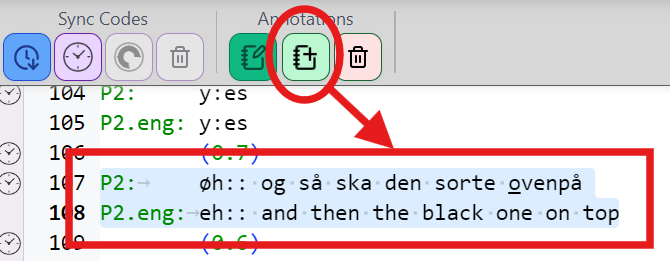
- Select those lines using your mouse by dragging from the onset character/line to the offset character/line. Clips do not have to start and terminate at the beginning or end of lines.
- Then click the
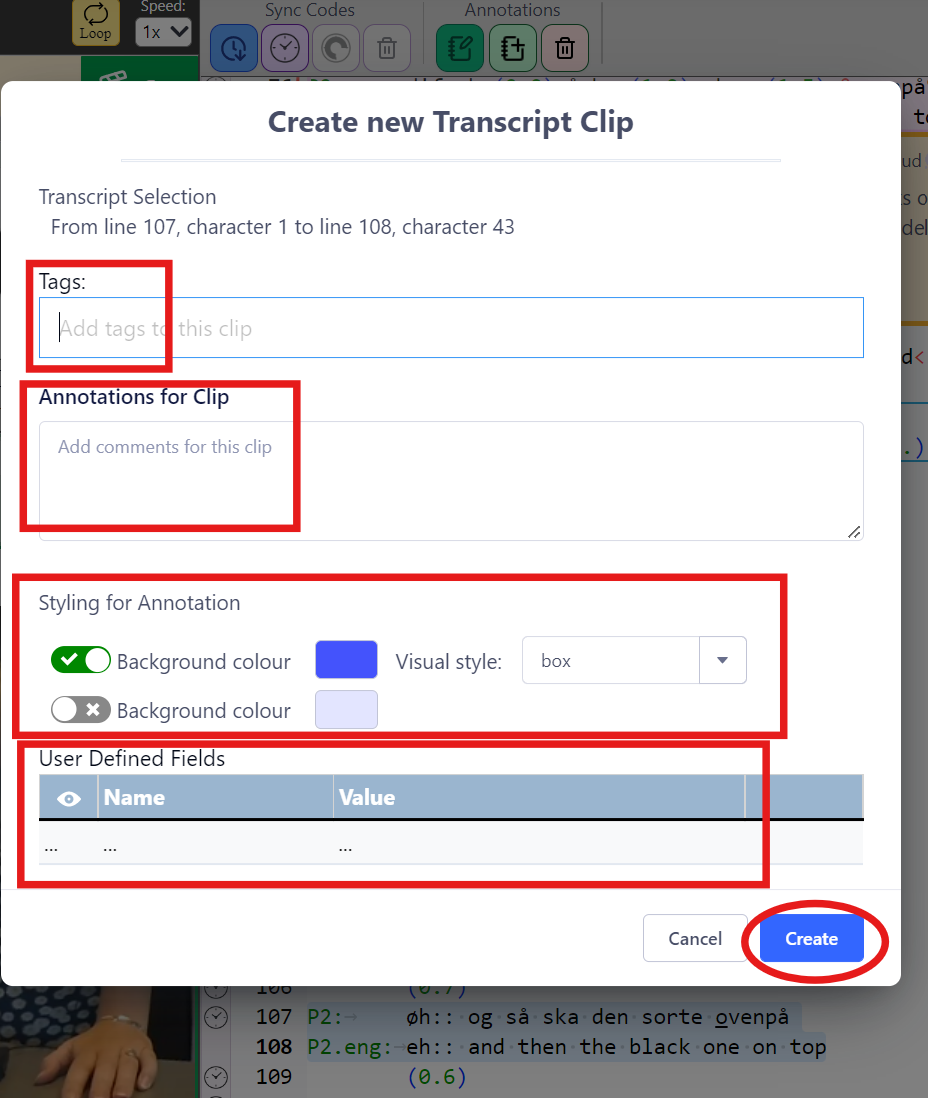
Create a New Transcript Clipbutton in the Transcript Editor panel. - There are several options to fill out or select when creating the clip:
- Click CREATE and the clip will be inserted and displayed in the Transcript (make sure that display clips is toggled on at the top of the Transcript Editor panel).
Editing and deleting T-Clips
T-clips can be edited and deleted.
Method 1
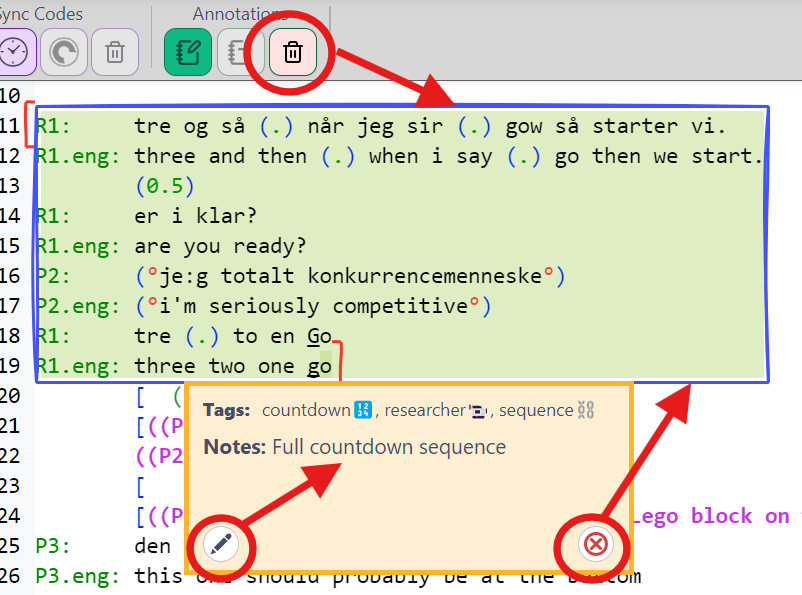
- Hover over the clip and select the pencil ✏️ edit or delete ❌ icon in the T-clip panel that opens.
Method 2
- Click uniquely inside the T-clip in a transcript panel. Make sure that the cursor is inside only one clip.
- Right click and select
Delete Clipor click theDelete Clip at cursor🗑️ button in theAnnotationssection at the top of the Transcript Editor.
Changing the scope of an existing T-Clip
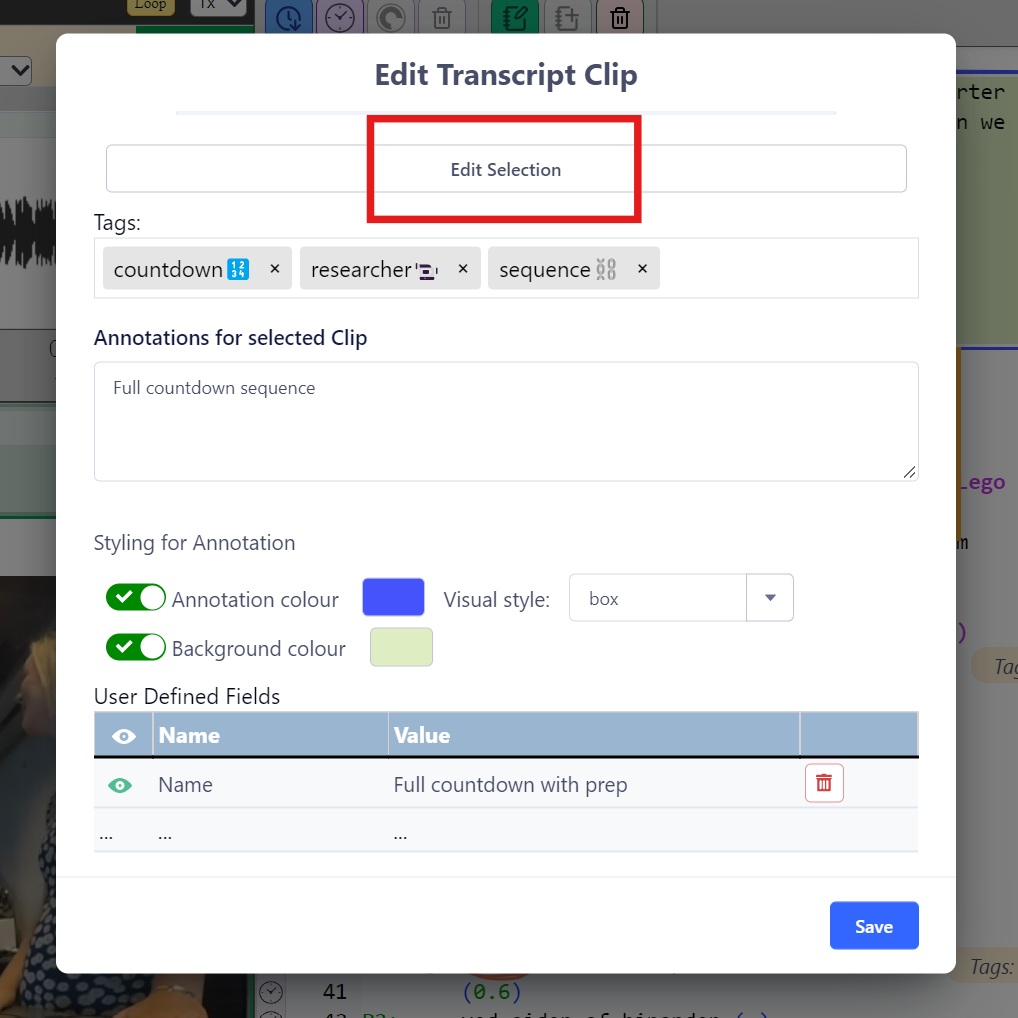
The scope of a T-Clip can be adjusted using the Edit Selection button at the top of the Edit T-Clip box.
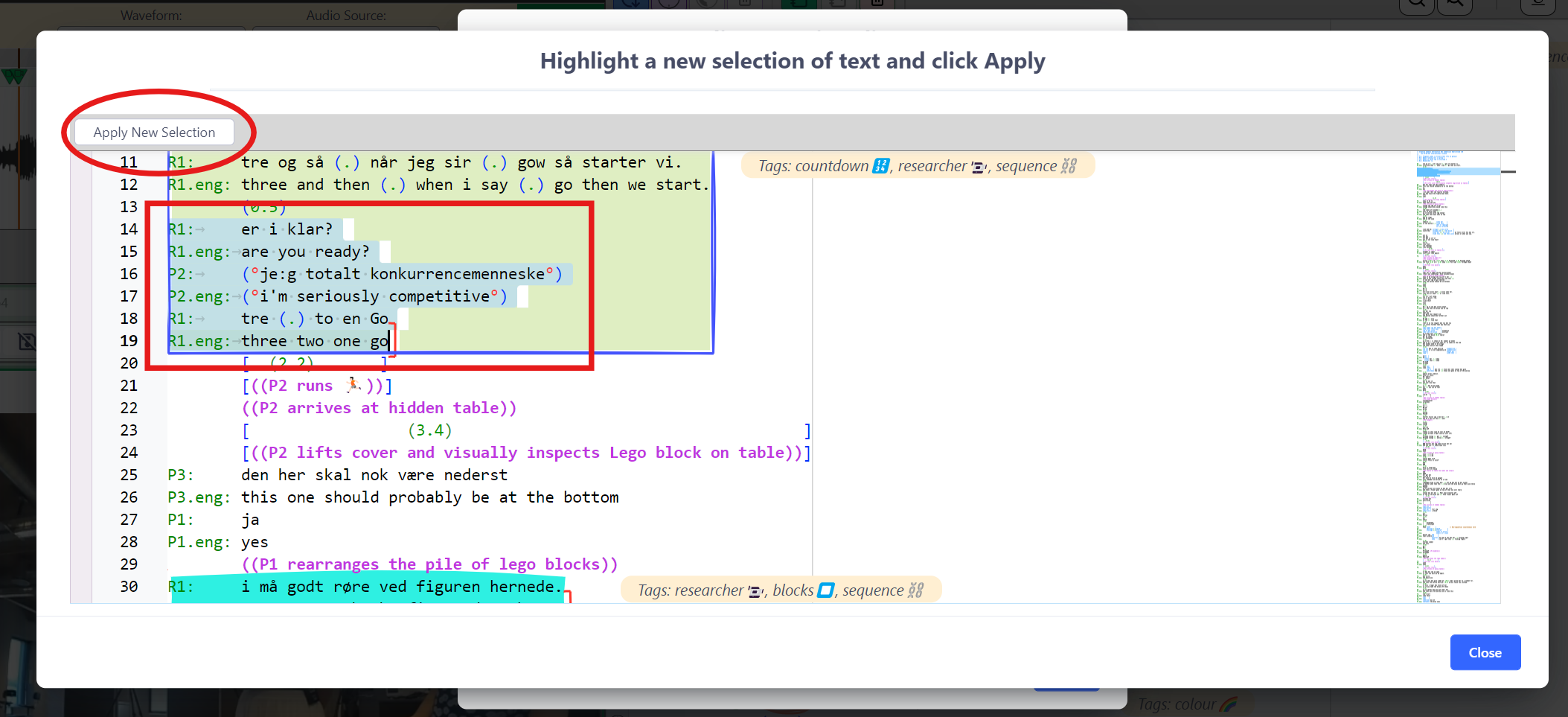
- Scroll to find the original clip.
- Make a new selection for the scope of the T-clip by dragging the cursor from the onset to the offset character.
- Click
APPLY NEW SELECTIONbutton.
Interchangeable Transcript Clips in DOTE and DOTEbase
Transcript Clips created in DOTE or DOTEbase will appear in both when the Project/Transcript containing the Clip is opened (and display T-Clips is toggled on).
NOTE:
- If a Transcript is open in DOTE, then T-Clips in that Transcript cannot be edited in DOTEbase. DOTE locks the Transcript for editing.
- If DOTE is closed or a different Transcript is opened, then the Transcript is released and can be edited again in DOTEbase.